New in Sinabis Assistant: Your Team and AI, Working in the Same Document
AI & Legal Technology · October 6, 2026
Most document workflows have the same problem. Someone writes a draft and sends it. Someone else makes changes and sends it back. A third person opens an older version by mistake. By the time the document is done, nobody is quite sure which version is the right one.
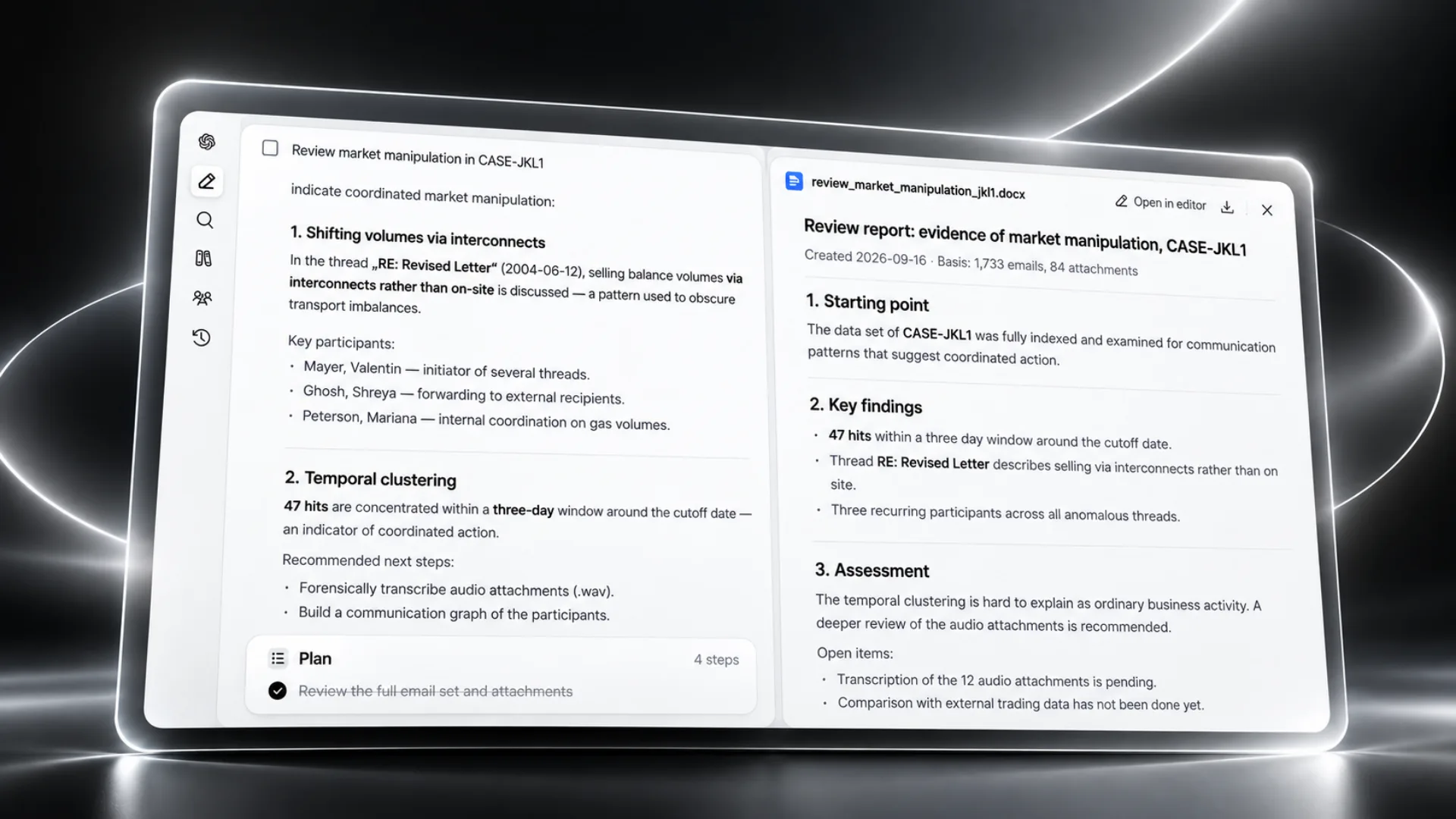
Sinabis Assistant now lets your team work in the same document at the same time, with AI available to help inside the document itself. You can open Word and Excel files directly in the browser, make changes alongside your colleagues, and ask the AI to rewrite, shorten, or translate any passage without leaving the file. Everything stays in one place and your data never leaves your infrastructure.
What Changed and Why It Matters
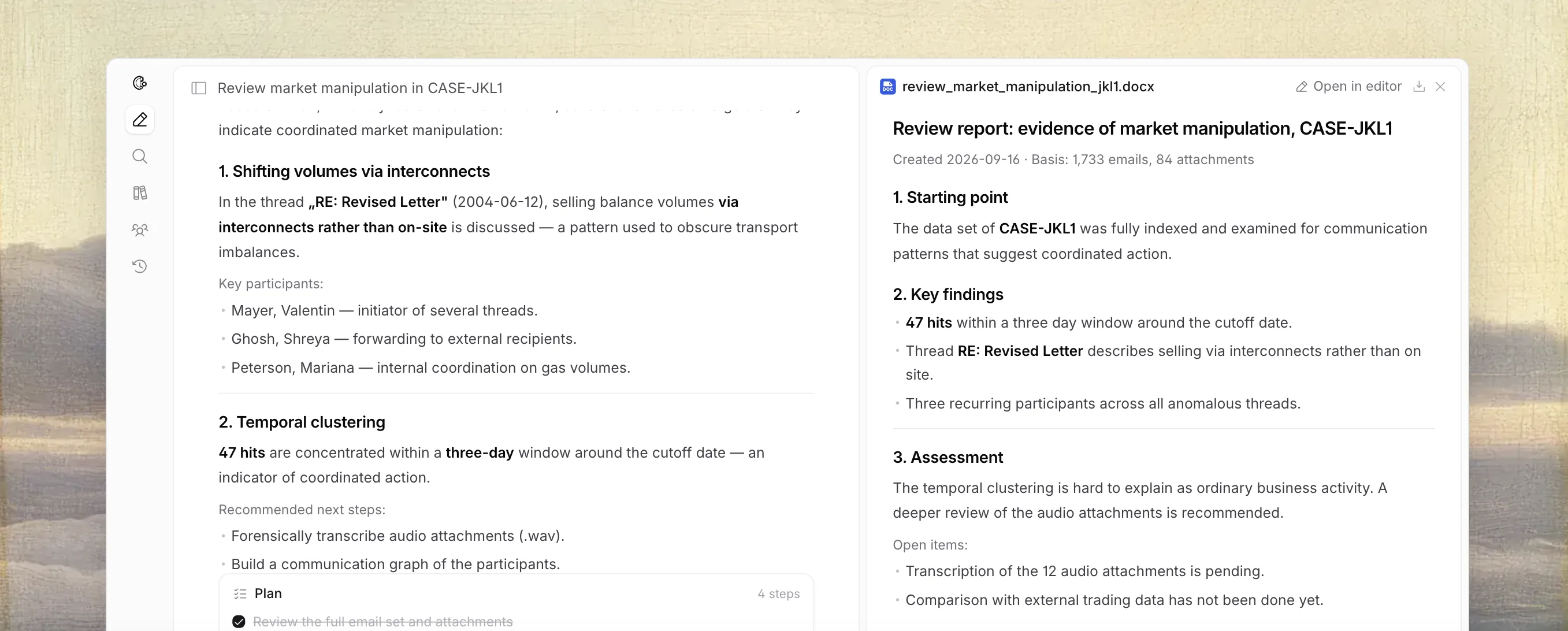
Before this update, using AI on a document meant copying text out of the file, pasting it into a chat window, getting a response, and then copying it back. That extra step breaks the flow of the work and introduces the risk of things getting lost or misplaced along the way.
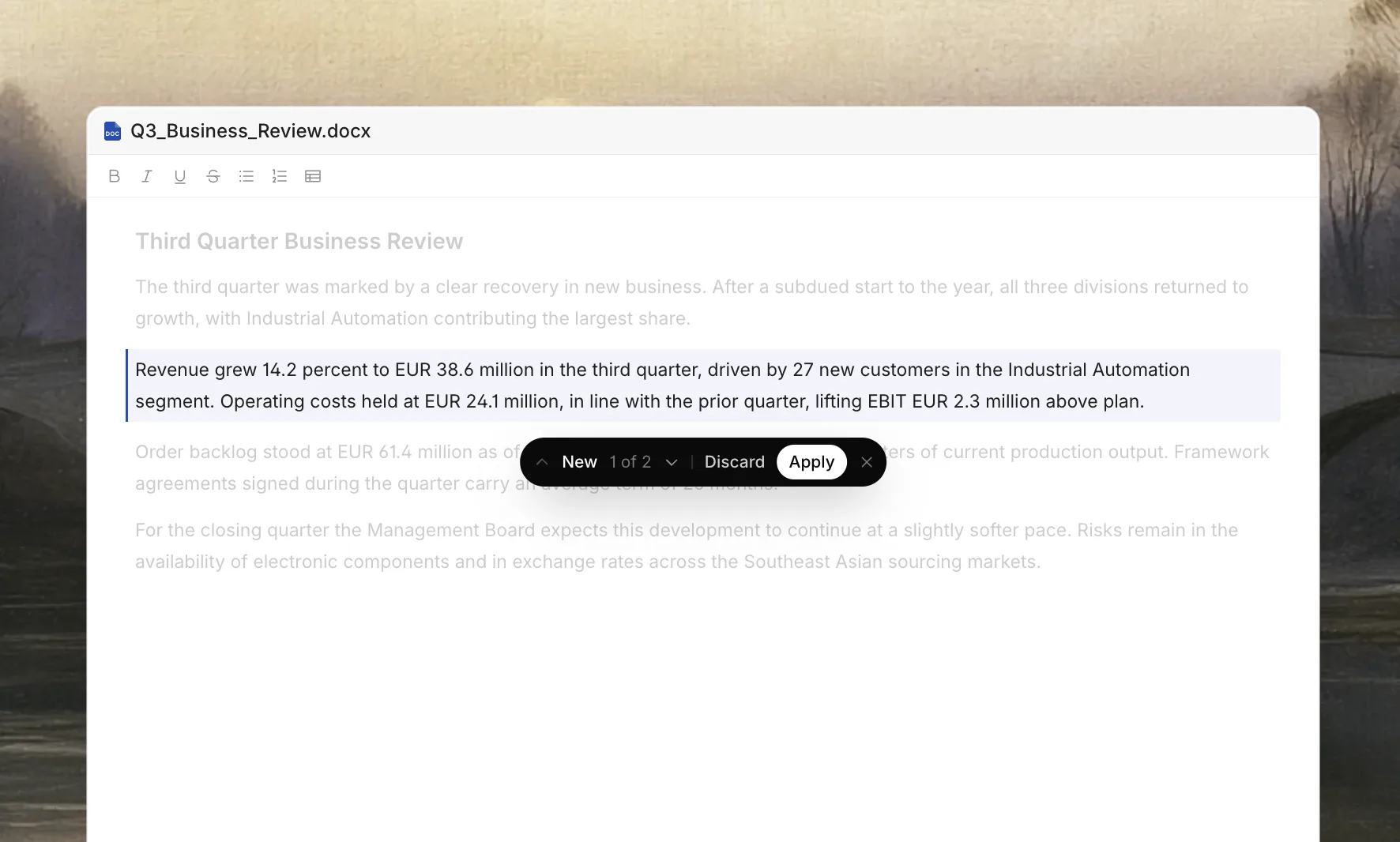
Now the AI is inside the document. You select a paragraph, ask Sinabis Assistant to shorten it or rephrase it, and the suggestion appears right where you are working. You read it in context, decide whether it is right, and accept or reject it with one click. The document stays intact throughout and a record of every change is kept automatically.
The editor itself is fully built into the browser. You open a .docx or .xlsx file, edit it with proper formatting support, keep tables intact, and save when you are done. There is nothing to install and no file to download and re-upload.
The AI works where the document is, not the other way around.
Five Things This Makes Easier
1. Reviewing a document as a team
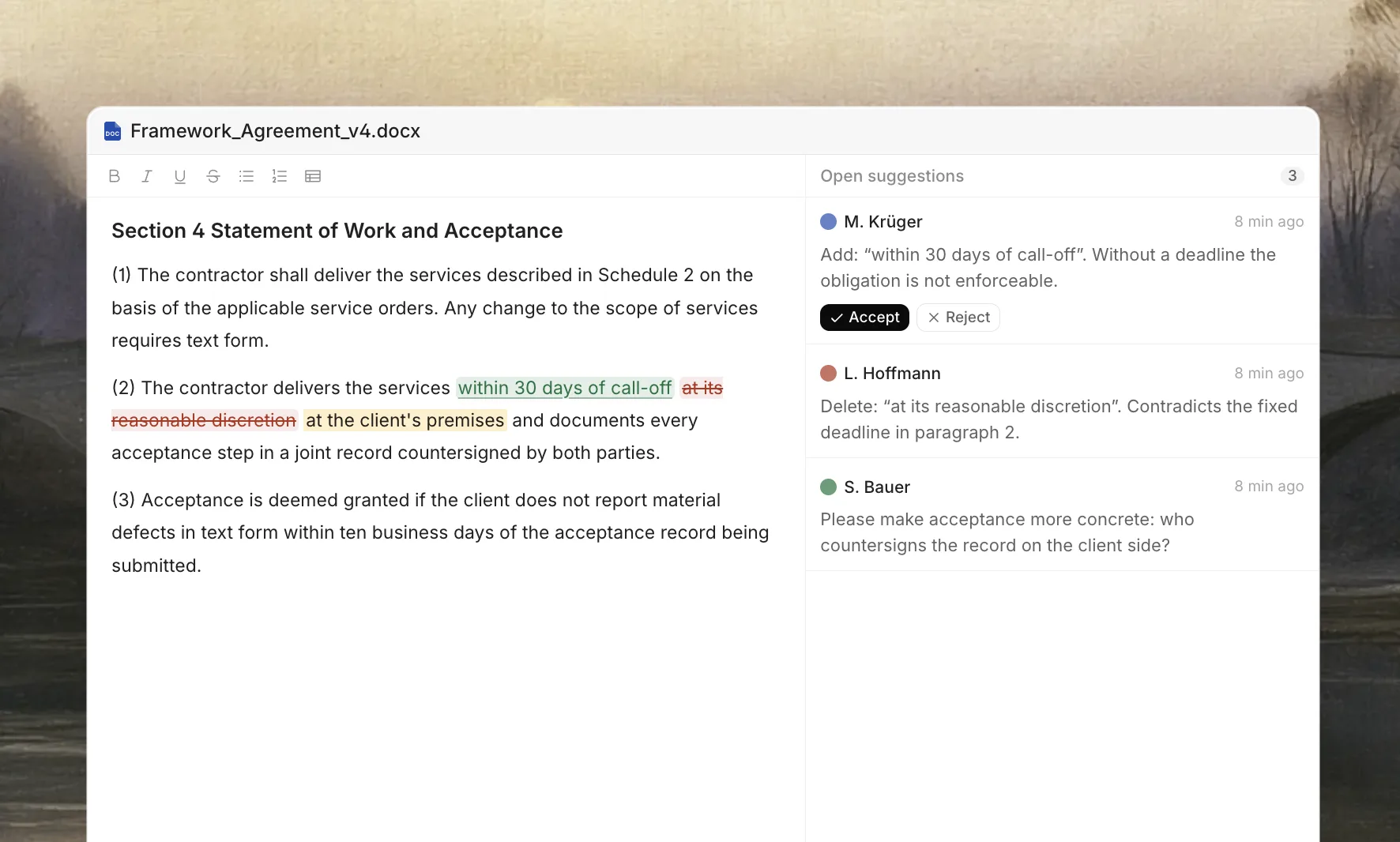
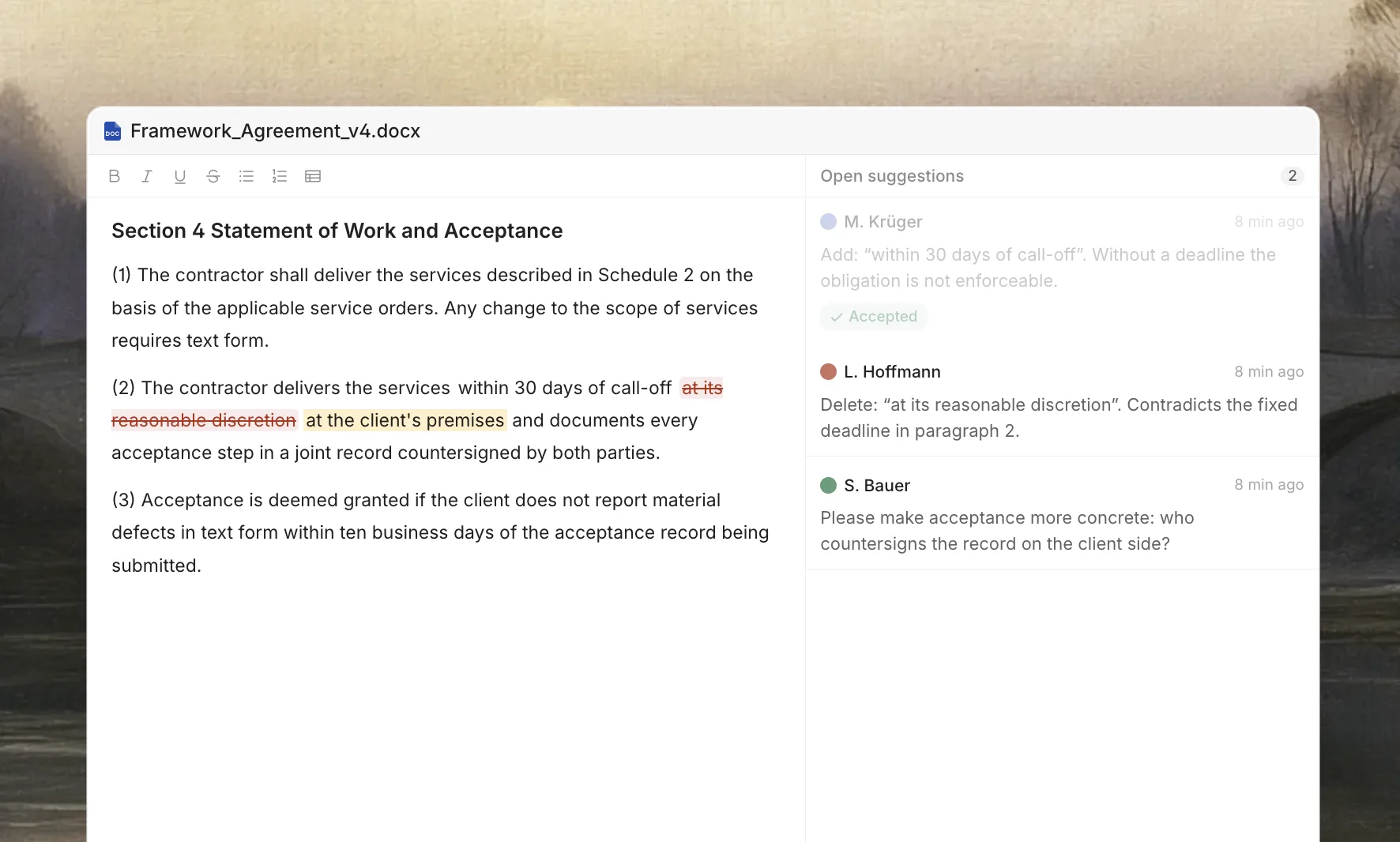
Instead of emailing a file to several reviewers and waiting for multiple marked-up versions to arrive back, everyone opens the same document. Each person adds their comments and suggestions in place. The document owner goes through them one by one and accepts or rejects each change. One document, one record, much less confusion.
2. Rewriting a passage that is not quite right
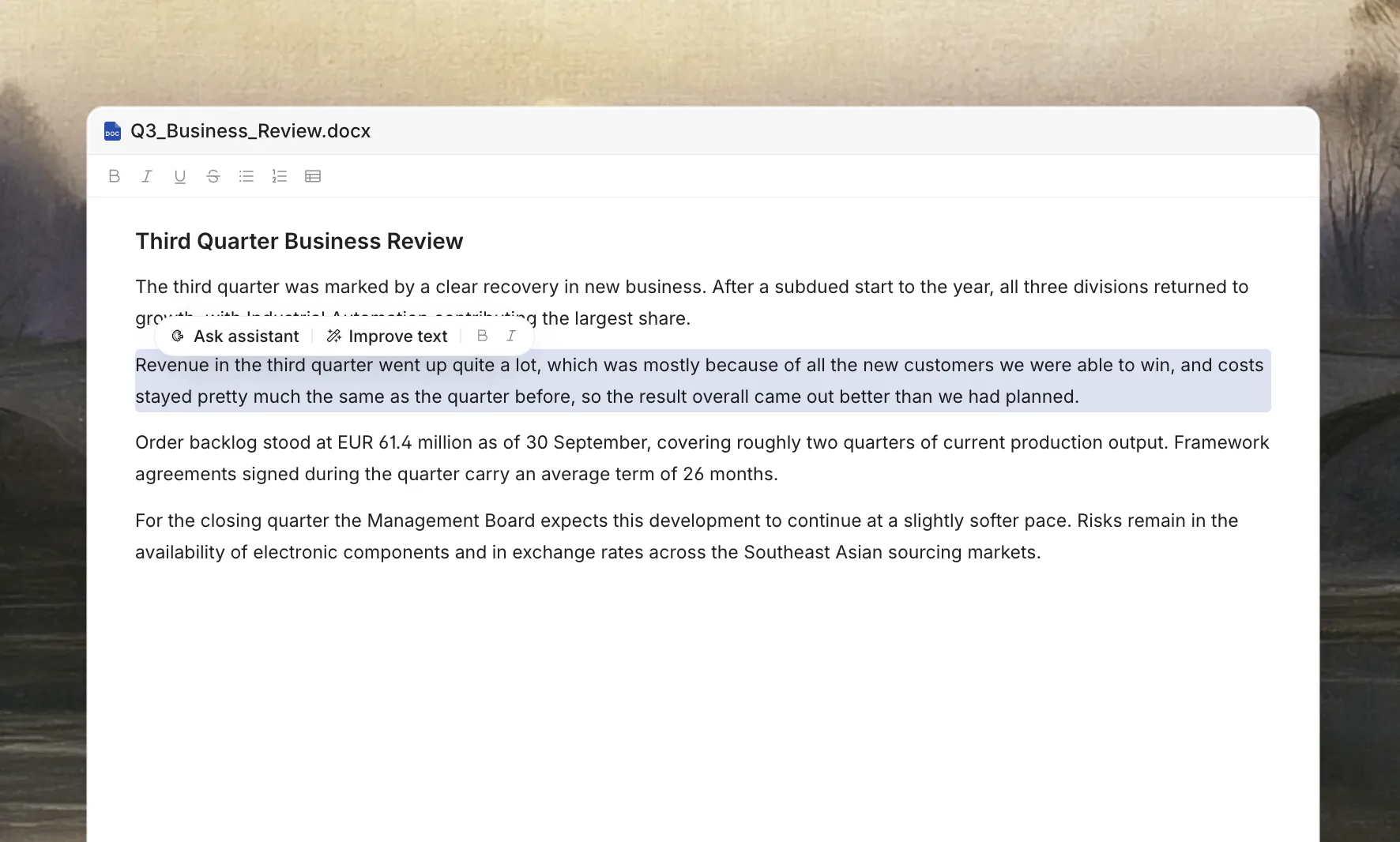
If a clause is too long or a paragraph is not clear, you select it and ask Sinabis Assistant to improve it. The suggestion appears in the document and you decide whether to keep it. You stay in the document the whole time.
3. Translating parts of a document
A contract arrives in another language and your team needs certain sections translated. You select the relevant passages, ask for a translation, and it appears as a suggestion in the same file. There is no need to copy anything into a separate tool.
4. Updating a spreadsheet without breaking the layout
You open an Excel file to update some figures and the formatting stays as it was. Tables remain intact. You make the changes, save the file, and close it. Nobody has to spend time fixing the layout afterwards.
5. Keeping a clear record of what changed
Because all suggestions and edits live inside the document rather than in email threads or chat messages, there is always a traceable record of who proposed what and whether it was accepted. For legal teams and compliance departments this kind of paper trail is not optional, it is necessary.
Who Is This Useful For
This feature works well for any team that spends a significant part of their week working with Word or Excel files and wants AI to be part of that process without having to move documents to an external platform.
→ Law firms reviewing contracts and disclosure documents with input from several fee earners
→ Compliance teams drafting and editing policies across departments
→ Finance teams preparing reports and budgets that need sign-off from multiple people
→ Public sector teams working on tenders, contracts, and correspondence
→ Any organisation where getting documents right matters and version control has been a recurring headache
Your Data Stays Where It Belongs
Everything that makes Sinabis Assistant different from public AI tools remains the same with this new feature. The AI runs inside your own infrastructure, either on a Sinabox installed on your premises or through Sinacluster, which is hosted in a certified data centre in Germany. Your documents do not leave your environment at any point and no external model provider processes your files.
Collaborative document editing with AI does not have to mean sending your files to an outside platform. With Sinabis Assistant it never has, and that has not changed.
Your documents stay where they belong. The AI comes to them.
Read more: GDPR and document data processing
Read more: EU AI Act obligations for AI tools
Read more: BSI certified data centres in Germany
Frequently Asked Questions
1) Can I open Word and Excel files directly in the browser?
Yes. You can open .docx and .xlsx files directly in the browser with full formatting support, table editing, and the ability to save. There is nothing to install.
2) How does the AI work inside the document?
You select any passage of text and ask Sinabis Assistant to rewrite, shorten, translate, or improve it. The suggestion appears in the document and you accept or reject it with one click.
3) Is this GDPR compliant?
Yes. Everything runs inside your own infrastructure, either on a Sinabox on your premises or through Sinacluster in a certified German data centre. Your documents never leave your environment.
4) Can multiple people work on the same document at the same time?
Yes. Suggestions, deletions, and comments live in the document and are accepted or rejected one by one, keeping a clear record of every change.
5) Who is this feature for?
Any team that regularly works with Word or Excel files and wants AI assistance without sending documents outside a controlled environment. Law firms, compliance teams, finance departments, and public sector organisations are the most common use cases.
Want to see it in action?
Get in touch and we will show you how collaborative document editing works inside Sinabis Assistant for your organisation.
Sinabis Analytics GmbH · X64 Forensic GmbH · X64 Systems GmbH
Fatima Naz